Products I Distribute and Inventory
Menu Introduction: The list after the distributor has selected products (includes inventory viewing).
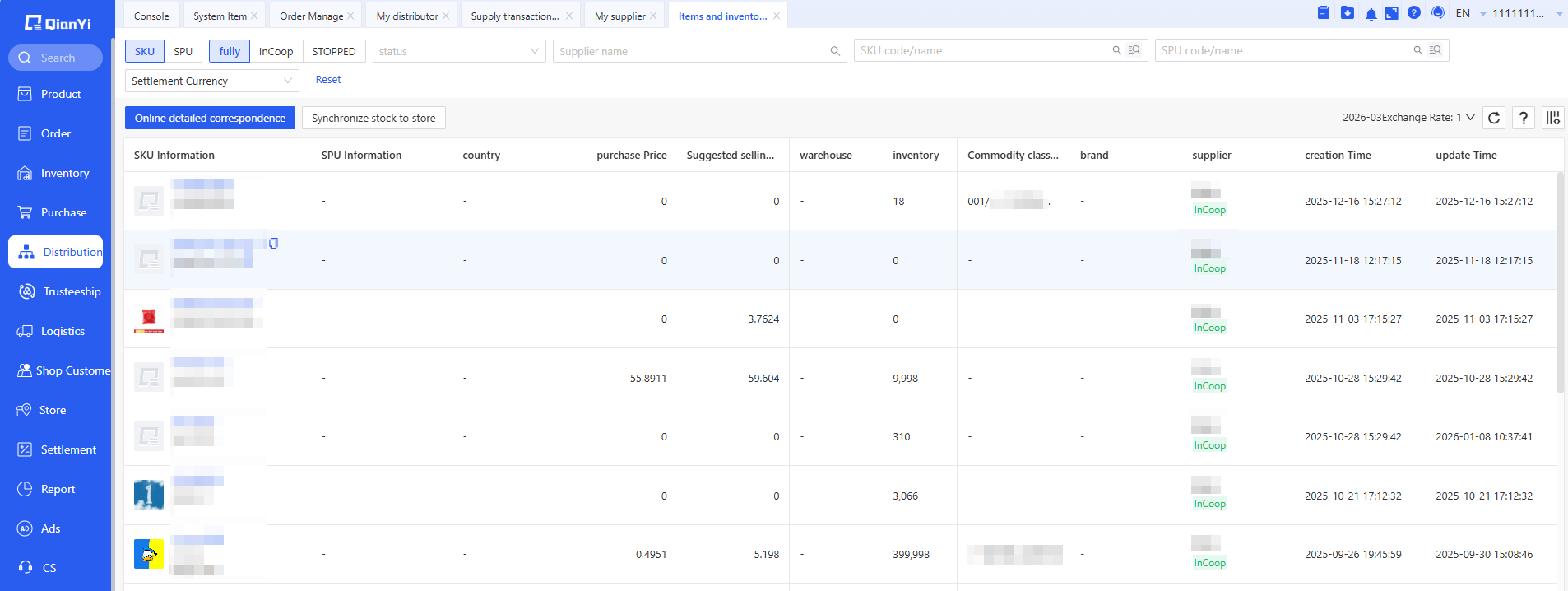
I. Distributed Products List

1. Supplier: Displays the name of the supplier from which the products were selected.
2. Product Name/SKU: After selection, it will be created exactly matching the supplier's product name and SKU.
3. Inventory: Displays the supplier's total available quantity for this product. This serves as the sellable inventory for this product and can be synchronized to your own store backend.
4. Purchase Price: The supplier's supply unit price. If the supplier has not specifically modified the price for this distributor, this price is the purchase price from the product selection list. If the supplier has specifically modified the price for this distributor, it will be the modified purchase price.
5. Suggested Retail Price: The suggested retail price from the supplier's product selection list, for reference only.
II. Online Product Matching
In the Qianyi online product list, match online products with distributed products. When an online product is successfully matched with a distributed product, a Distribution tag will appear.

After matching is complete, you can obtain drop-shipping orders and perform order push operations.
III. Synchronize Inventory to Store
The prerequisite for inventory synchronization is completing online product matching.

In the Inventory Synchronization List - Add Strategy, configure the inventory synchronization rules for distributed products.


Configuration Method: Configure according to the actual scenario of your business. If submitting a strategy, you must choose at least one of the two methods to save.
1. If you sell the supplier's products in your store and need to synchronize the supplier's inventory to the store, maintain the synchronization strategy in the Supplier row.
2. If you also sell products from your own warehouse and need to synchronize your own warehouse inventory to the store, maintain the synchronization strategy in the Warehouse row. If you have both, you need to maintain both rows.
Note:
1. The synchronized inventory quantity for distributed products comes from the supplier's Sellable Inventory for this product. This quantity can be viewed in the Products I Distribute and Inventory list.
2. When synchronizing the supplier's inventory quantity to the store, it is recommended to check Deduct Pre-occupied Inventory to prevent overselling in the store. The effect after checking is: when one drop-shipping order is received, the Synchronization Quantity pushed to the store will be calculated as (Sellable Inventory - Quantity of items in drop-shipping orders).